
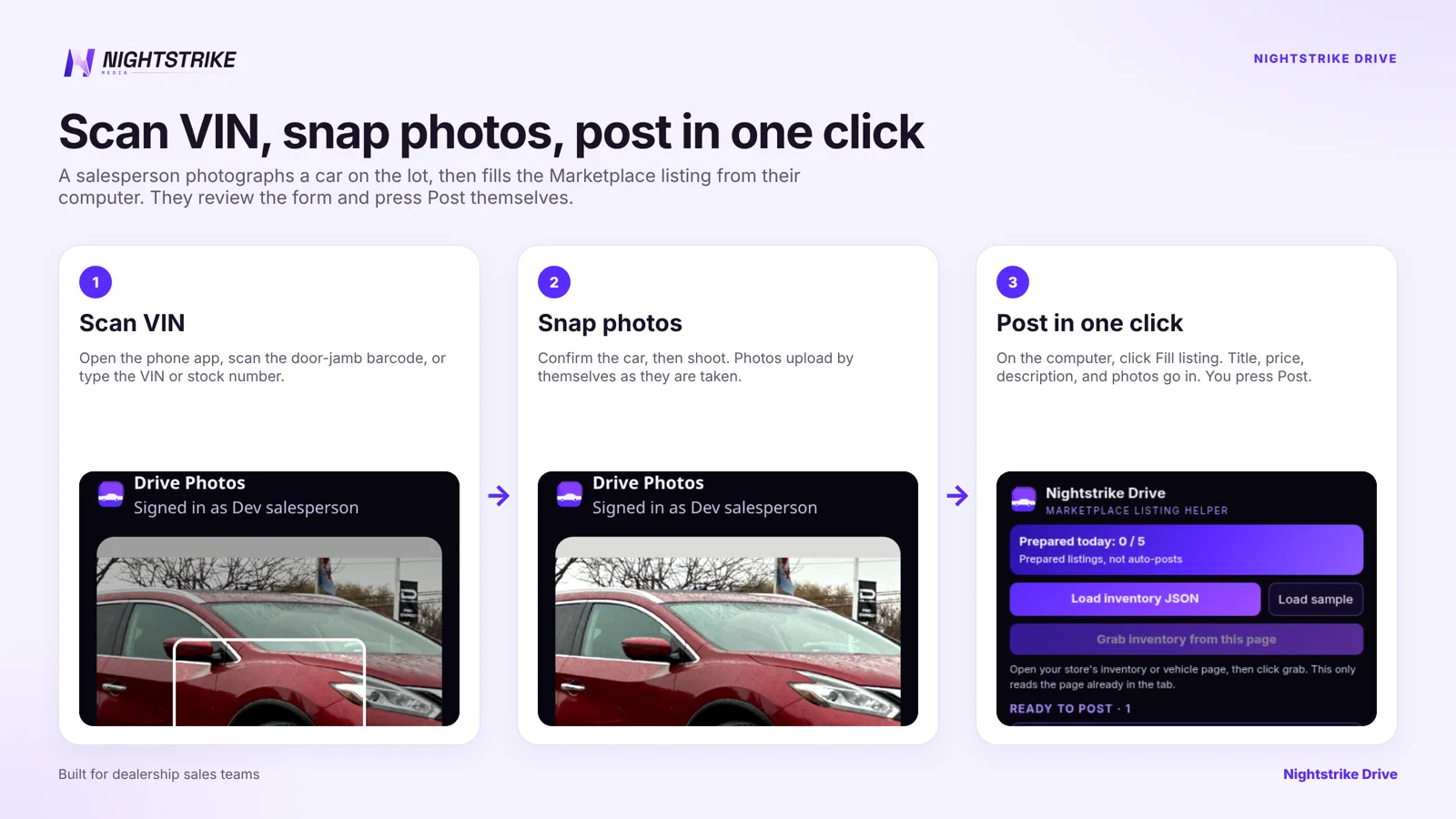
Scan the VIN
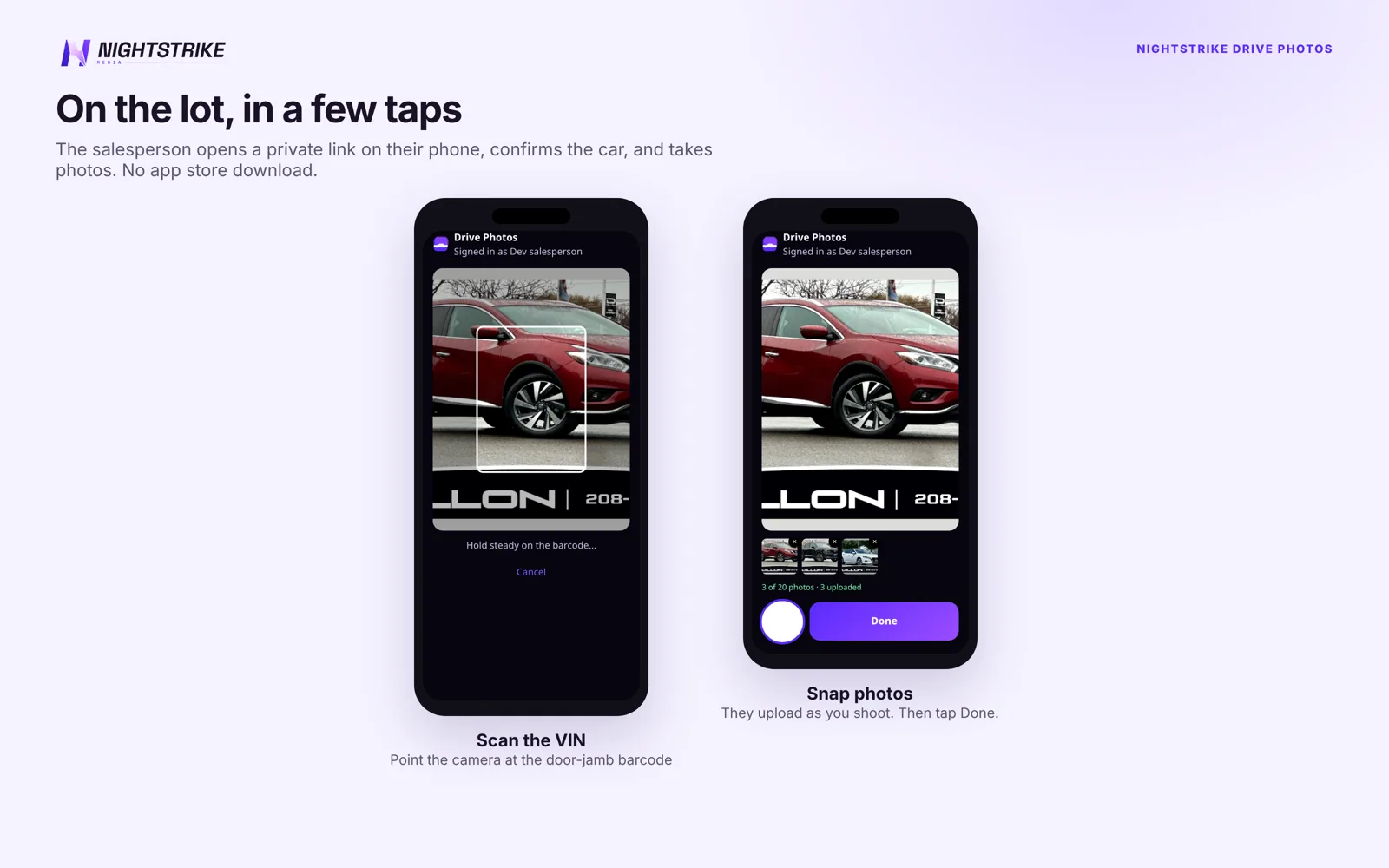
Tap Drive Photos on your home screen, tap Scan VIN and point the camera at the door jamb barcode. The car's year, make and model come up so you can confirm it. Can't scan? Type the VIN or stock number.
Nightstrike Drive turns the photos you take on the lot into a ready-to-review Facebook Marketplace listing on your computer. You look it over and press Post.
It runs from your phone's home screen and from Chrome on your computer. No app store download, and no typing year, make, model, price and description by hand.
Thanks for reaching out, . We'll be in touch about Nightstrike Drive.
Built so posting a car takes less work than doing it by hand on Marketplace.
Tap Drive Photos on your home screen, tap Scan VIN and point the camera at the door jamb barcode. The car's year, make and model come up so you can confirm it. Can't scan? Type the VIN or stock number.
Shoot the car right there on the lot. Each photo uploads by itself while you keep shooting. Tap a photo to make it the cover, then tap Done.
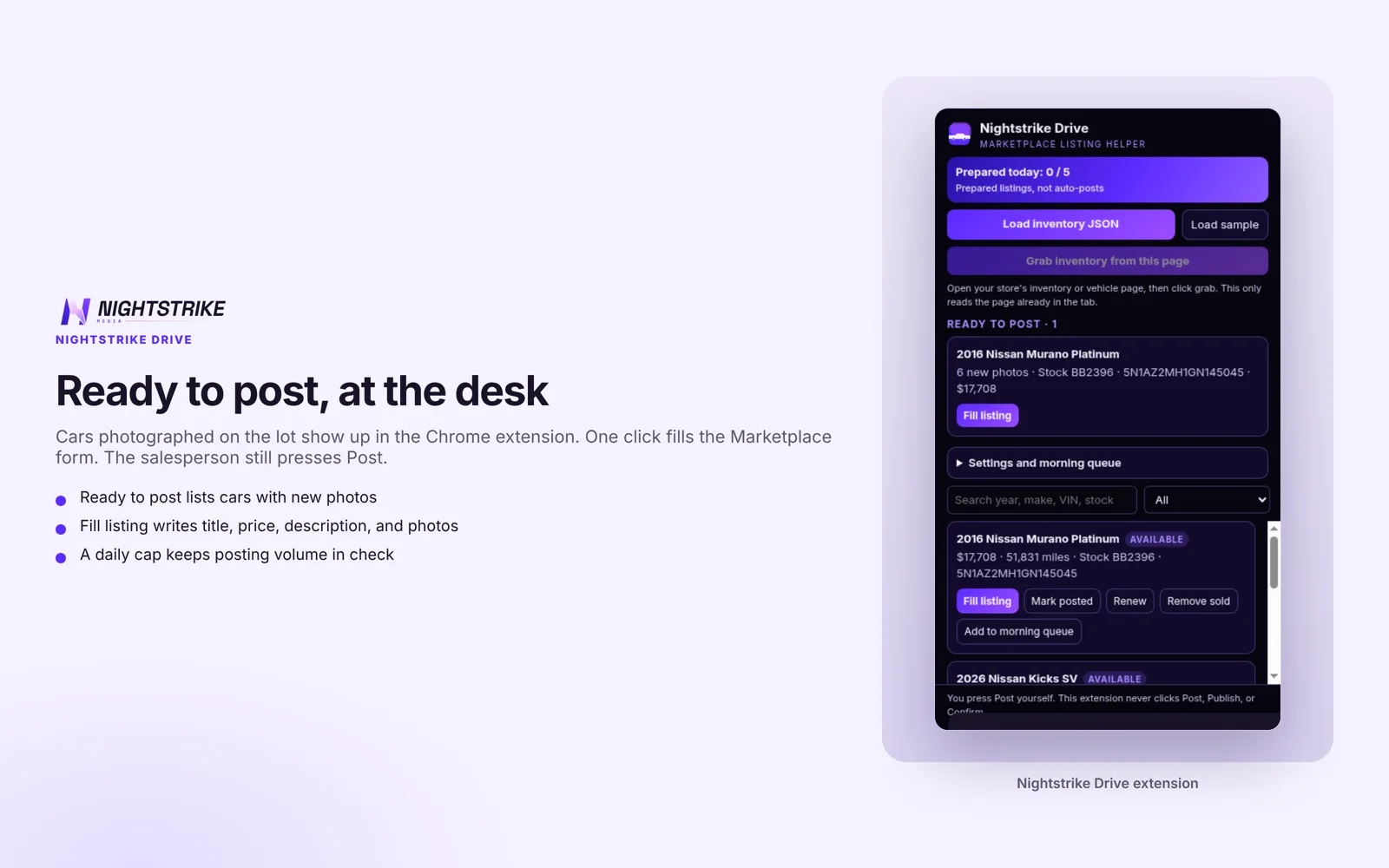
At your desk, the car is waiting under Ready to post in Chrome. Click Fill listing and the title, price, details, description and your photos go in. You review it and press Post.
Each description starts with a line that sends buyers to you, not to whoever picks up the phone.
Ask for [your name]!
You type your name once in the extension. After that it goes on every listing automatically.
$49/mo
For one salesman. Phone app, Chrome extension, and Ask for [your name]! on every listing.
Included with your marketing plan
Full Growth includes up to 15 salesman seats. Dominate includes up to 30 salesman seats.
Want in early? Leave your details at the top of this page and we'll reach out.